A multiplayer AI workspace for research labs

Your lab's AI chats, on one shared map.

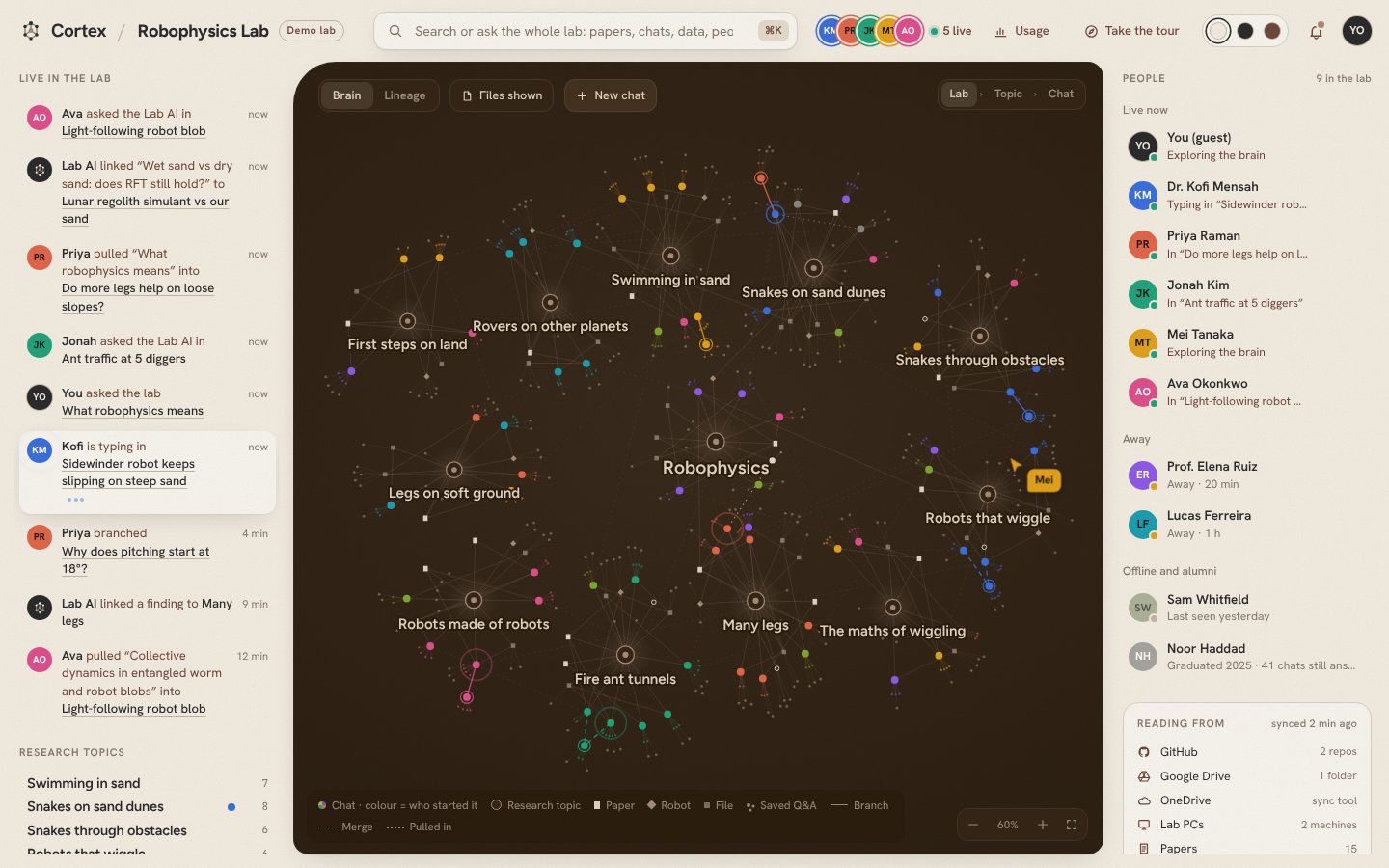
Today, even with a shared AI assistant, every conversation is one person talking to a bot. Cortex turns the whole lab's chats into a live research map. Branch a side question, pull a teammate's chat in as context, and merge threads when results connect. Everyone sees the map change as it happens.

About two minutes from start to finish, with no sign-up. Have a join code? Join a lab

The Cortex research map: chats grouped by research topic, coloured by who started them, with teammates asking, branching and pulling chats in live

The problem

Your lab knows more than any one person in it.

But that knowledge is split across private chat histories. Cortex makes it visible, so the lab can build on it together.

Today: one person, one bot. Answers stay in someone's history, and new students start from scratch.
branch merge pull in
With Cortex: every chat is a node on one live map that the whole lab can see, extend and build on.

How it works

Think together, not side by side.

1

Every chat becomes a node

Ask the lab's AI anything. Answers cite the lab's own papers, code and data, and each chat lands on the map next to the research topic it belongs to, in the colour of the person who started it.

Zoom into any chat to see every prompt and the file it used.
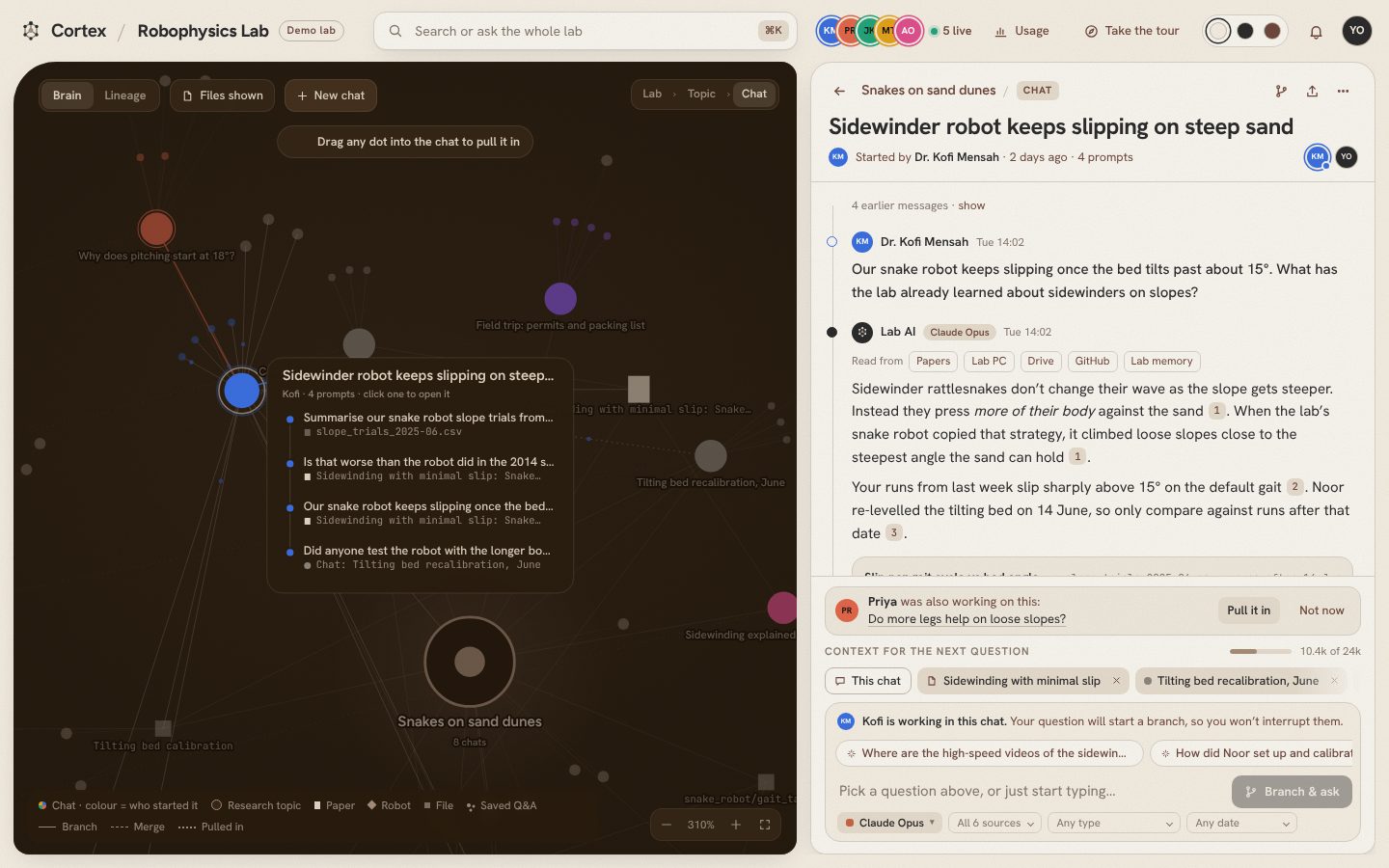
A chat on the map unfolded into its prompts, each showing the file it used
2

Bring a teammate's chat into yours

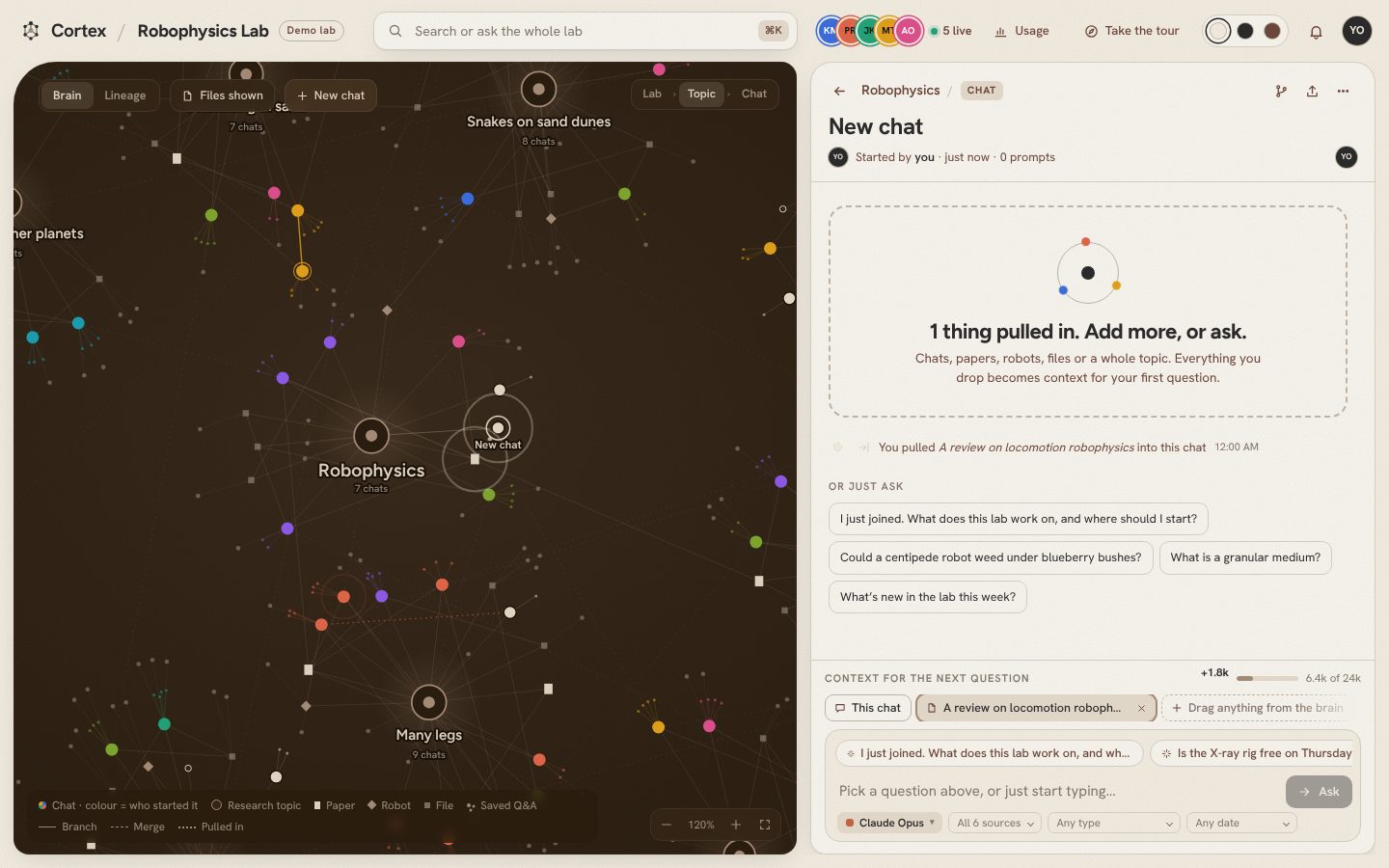
Drag any node, whether it's a teammate's chat, a paper or a dataset, into your conversation. It becomes context for your next question, and a line on the map shows where the idea came from.

A paper dropped into a chat's context tray, with a dotted pulled-in line drawn on the map
3

Branch a side question, then merge it back

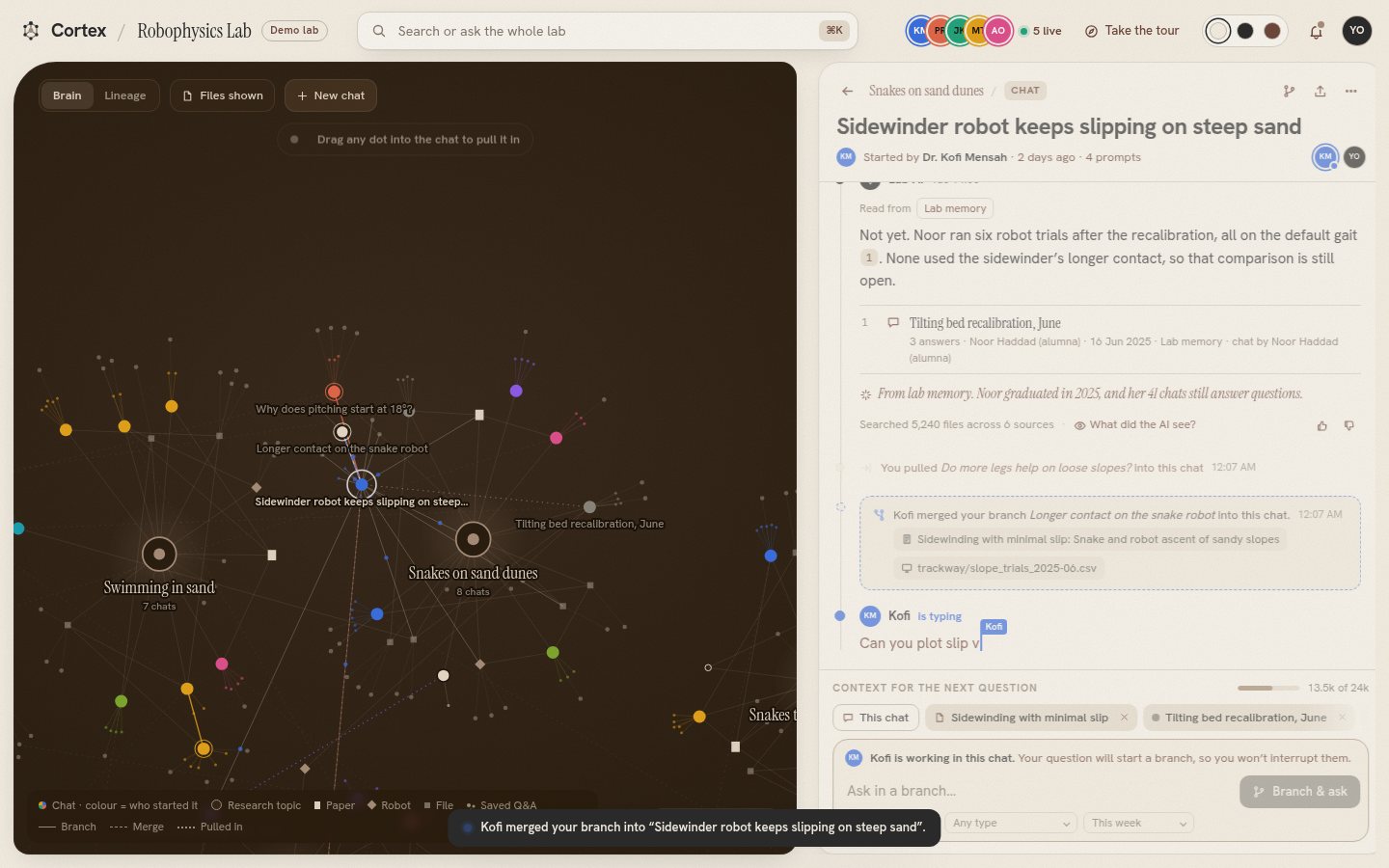
Explore a tangent without derailing the main thread. When the side question pays off, say when simulation results line up with the wind tunnel data, merge it back so the finding lives where the team will look for it.

A branch merged back into a teammate's chat, with a dashed merge line on the map
4

Pick up where the lab left off

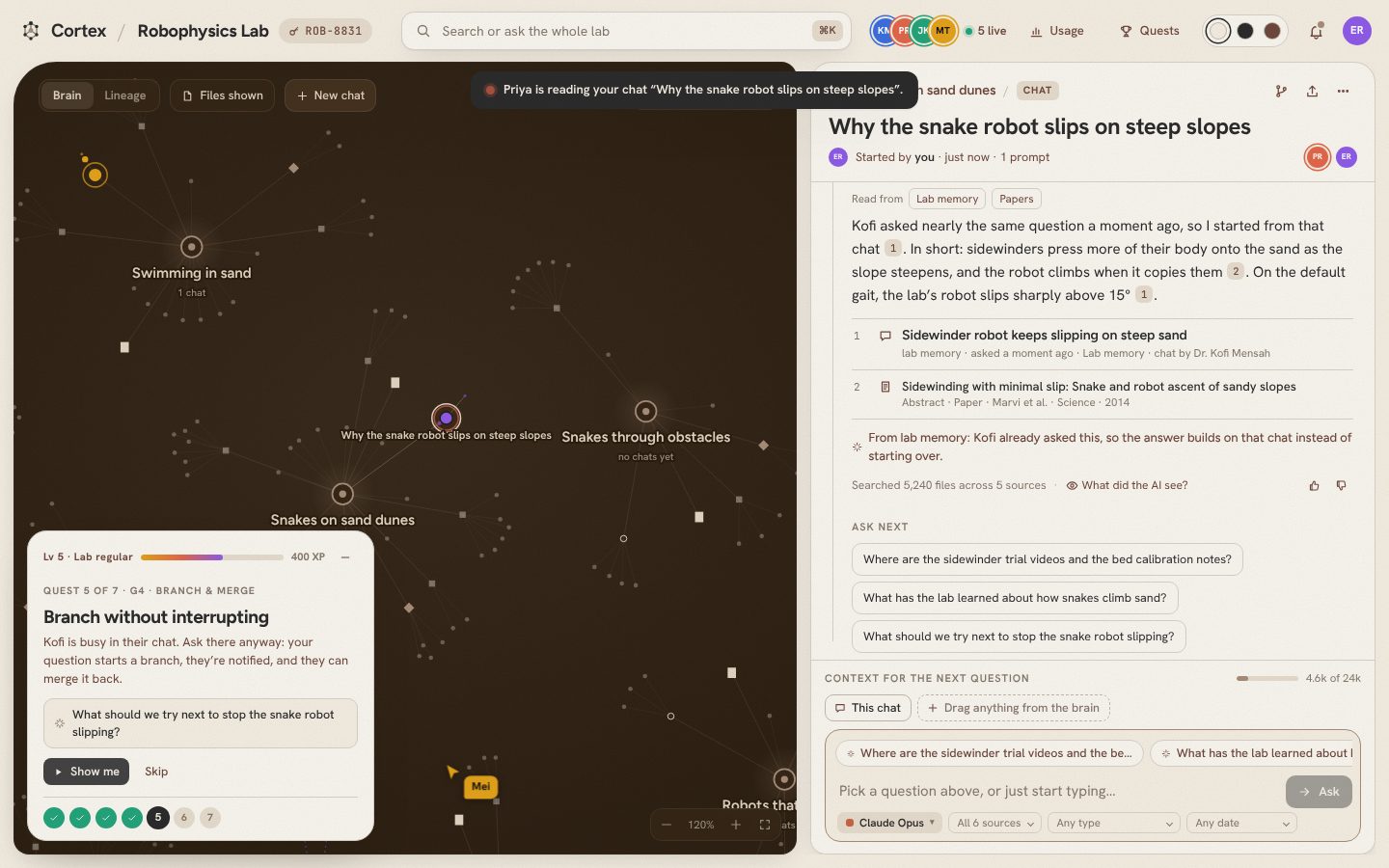
A new PhD student can open the map on day one and see what the team has explored, what it found and where it stopped. They continue that work instead of starting over, and they can still ask questions answered by people who graduated years ago.

An answer that builds on a teammate's earlier chat and cites it

Built for research labs

Fits how your lab already works.

Set up a demo lab The demo runs on example data and simulated teammates. Open it on two laptops to try it together.

Contact

Bring Cortex to your lab.

Want to try Cortex with your team, have feedback on the demo, or just want to talk? Send us a note and we'll get back to you.